
An IT Service Catalog your employees actually use كتالوج خدمات تقنية يستخدمه موظفوك فعلاً
Present IT as a storefront, not a black box. Publish every service in organized categories, show each person only what their role allows, and back every request with its own form, workflow and SLA. قدّم تقنية المعلومات كواجهة خدمات واضحة، لا كصندوق مغلق. انشر كل خدمة ضمن تصنيفات منظمة، وأظهر لكل شخص ما يسمح به دوره فقط، وادعم كل طلب بنموذجه ومسار عمله واتفاقية مستوى خدمته.
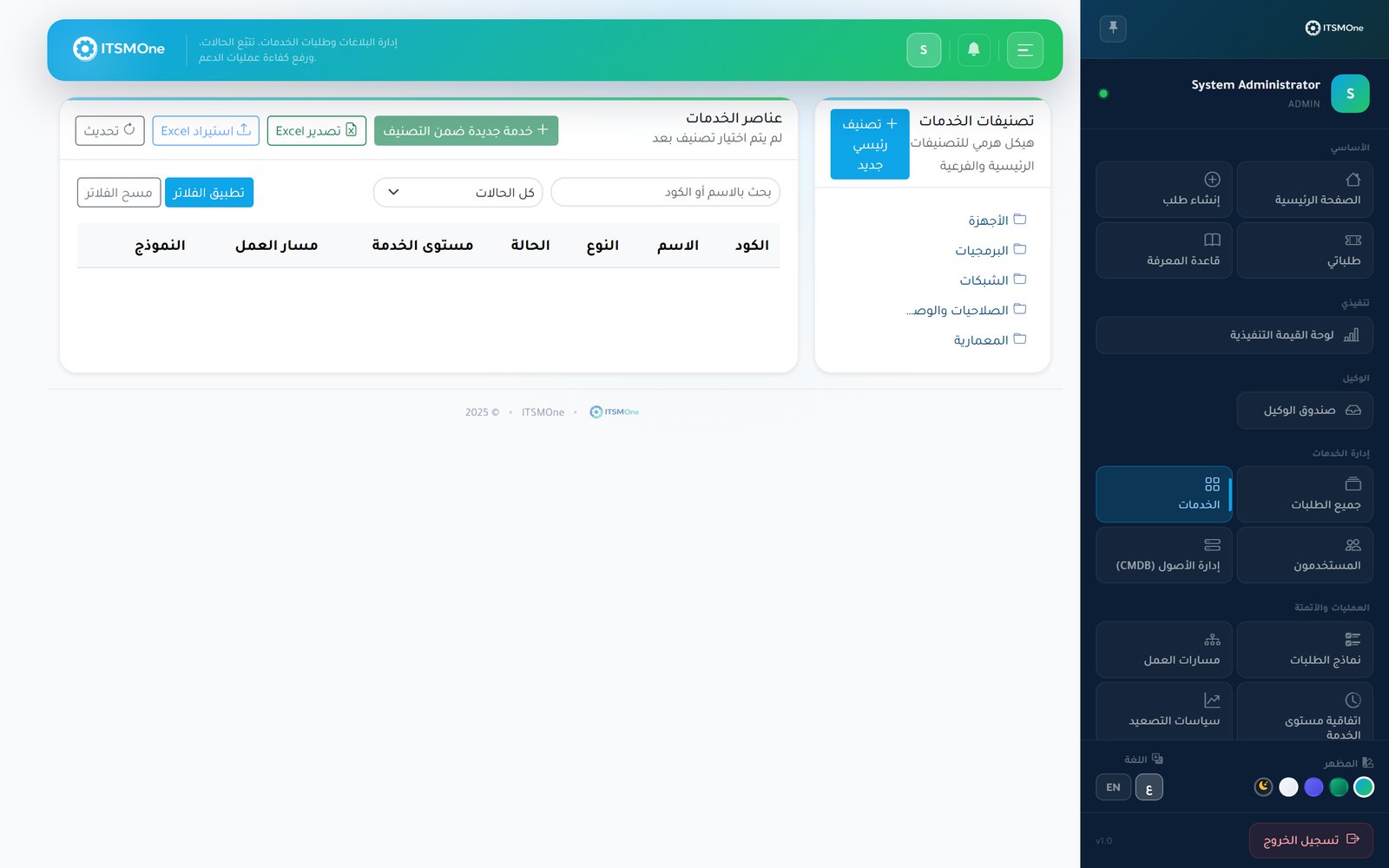
One storefront for every IT service — findable, orderable, trackable. واجهة واحدة لكل خدمات التقنية — سهلة الاكتشاف والطلب والمتابعة.
Employees find services themselvesالموظف يجد الخدمة بنفسه
Clear categories and descriptions replace guesswork emails — people browse the portal and order exactly what they need.تصنيفات وأوصاف واضحة تُغني عن رسائل التخمين — يتصفح الموظفون البوابة ويطلبون ما يحتاجونه بدقة.
Show each role its own catalogلكل دور كتالوجه الخاص
Role-based visibility keeps HR services away from contractors and admin-only services away from everyone else — automatically.الإظهار حسب الدور يبقي خدمات الموارد البشرية بعيدة عن المتعاقدين، والخدمات الإدارية محصورة بمستحقيها — تلقائياً.
Complete requests from the startطلبات مكتملة من أول مرة
Each service opens its own tailored form, so requests arrive with every detail your team needs — no back-and-forth to fill gaps.تفتح كل خدمة نموذجها المصمم لها، فتصل الطلبات بكل التفاصيل التي يحتاجها فريقك — دون مراسلات لسدّ النواقص.
Standardized deliveryتسليم موحّد
Because every service is bound to a workflow and an SLA, fulfillment follows the same reliable path every single time.لأن كل خدمة مرتبطة بمسار عمل وSLA، يسير التنفيذ على الطريق الموثوق نفسه في كل مرة.
Build the catalog once — it runs the service desk for you. ابنِ الكتالوج مرة واحدة — وسيدير مكتب الخدمة عنك.
Structured categories
تصنيفات مهيكلة
Group services into logical categories — hardware, access, software, HR and more — so the portal reads like a well-organized store.
جمّع الخدمات في تصنيفات منطقية — أجهزة، صلاحيات، برمجيات، موارد بشرية وغيرها — لتُقرأ البوابة كمتجر مرتّب.
Role-based visibility
إظهار حسب الدور
Decide which roles see which services. With 12 built-in RBAC roles, sensitive or specialized services stay visible only to the right audience.
قرّر أي الأدوار ترى أي الخدمات. وبفضل 12 دوراً مدمجاً في نظام الصلاحيات، تبقى الخدمات الحساسة أو المتخصصة ظاهرة لمستحقيها فقط.
A tailored form per service
نموذج مخصص لكل خدمة
The no-code form builder attaches the right fields to each service — text, lists, dates, attachments — collecting exactly what fulfillment needs.
يربط منشئ النماذج بلا برمجة الحقول المناسبة بكل خدمة — نصوص وقوائم وتواريخ ومرفقات — ليجمع تماماً ما يحتاجه التنفيذ.
A workflow per service
مسار عمل لكل خدمة
Bind each service to its own visual workflow — approvals, tasks and notifications — so a laptop request and an access request follow different paths.
اربط كل خدمة بمسار عمل مرئي خاص بها — موافقات ومهام وإشعارات — فيسلك طلب الحاسوب وطلب الصلاحية طريقين مختلفين.
An SLA per service
SLA لكل خدمة
Attach delivery commitments to each catalog item, tracked on business calendars with warnings and escalation if fulfillment slips.
ألحق التزامات تسليم بكل بند في الكتالوج، تُتابَع على تقاويم العمل مع تحذيرات وتصعيد إذا تعثّر التنفيذ.
Self-service portal ordering
طلب من بوابة الخدمة الذاتية
Employees order from the portal in Arabic or English, follow status live and get notified in-app and by email at every step.
يطلب الموظفون من البوابة بالعربية أو الإنجليزية، ويتابعون الحالة لحظياً، وتصلهم الإشعارات داخل التطبيق وبالبريد في كل خطوة.
From scattered requests to an orderly storefront, in four steps. من طلبات مبعثرة إلى واجهة منظمة، في أربع خطوات.
Designالتصميم
List your services, group them into categories, and write descriptions employees will understand at a glance.أدرج خدماتك وجمّعها في تصنيفات، واكتب أوصافاً يفهمها الموظف من النظرة الأولى.
Bindالربط
Attach a form, a workflow and an SLA to each service, and set which roles can see and order it.ألحق بكل خدمة نموذجاً ومسار عمل وSLA، وحدّد الأدوار التي تراها وتطلبها.
Publishالنشر
Go live on the self-service portal — each employee sees a catalog filtered to their role, in their language.انشر على بوابة الخدمة الذاتية — فيرى كل موظف كتالوجاً مُرشَّحاً حسب دوره وبلغته.
Fulfillالتنفيذ
Orders enter their bound workflow with approvals and tasks, tracked against the SLA until delivery is confirmed.تدخل الطلبات مسار العمل المرتبط بها بموافقاته ومهامه، وتُتابَع وفق SLA حتى تأكيد التسليم.
IT service catalogs, answered. أسئلة شائعة عن كتالوج الخدمات التقنية.
Explore more solutions استكشف حلولاً أخرى
Give IT a front door worth knocking on. امنح تقنية المعلومات باباً أمامياً يستحق الطرق.
Publish your services with the forms, workflows and SLAs behind them — and watch requests arrive complete and on track. انشر خدماتك ومعها نماذجها ومساراتها واتفاقيات مستواها — وشاهد الطلبات تصل مكتملة وعلى مسارها.